This guide shows you how to configure the settings for generating new content. By defining the page type, Ideal Customer Profile (ICP), and brand voice, you can ensure the AI creates content that is perfectly tailored to your audience and marketing goals.
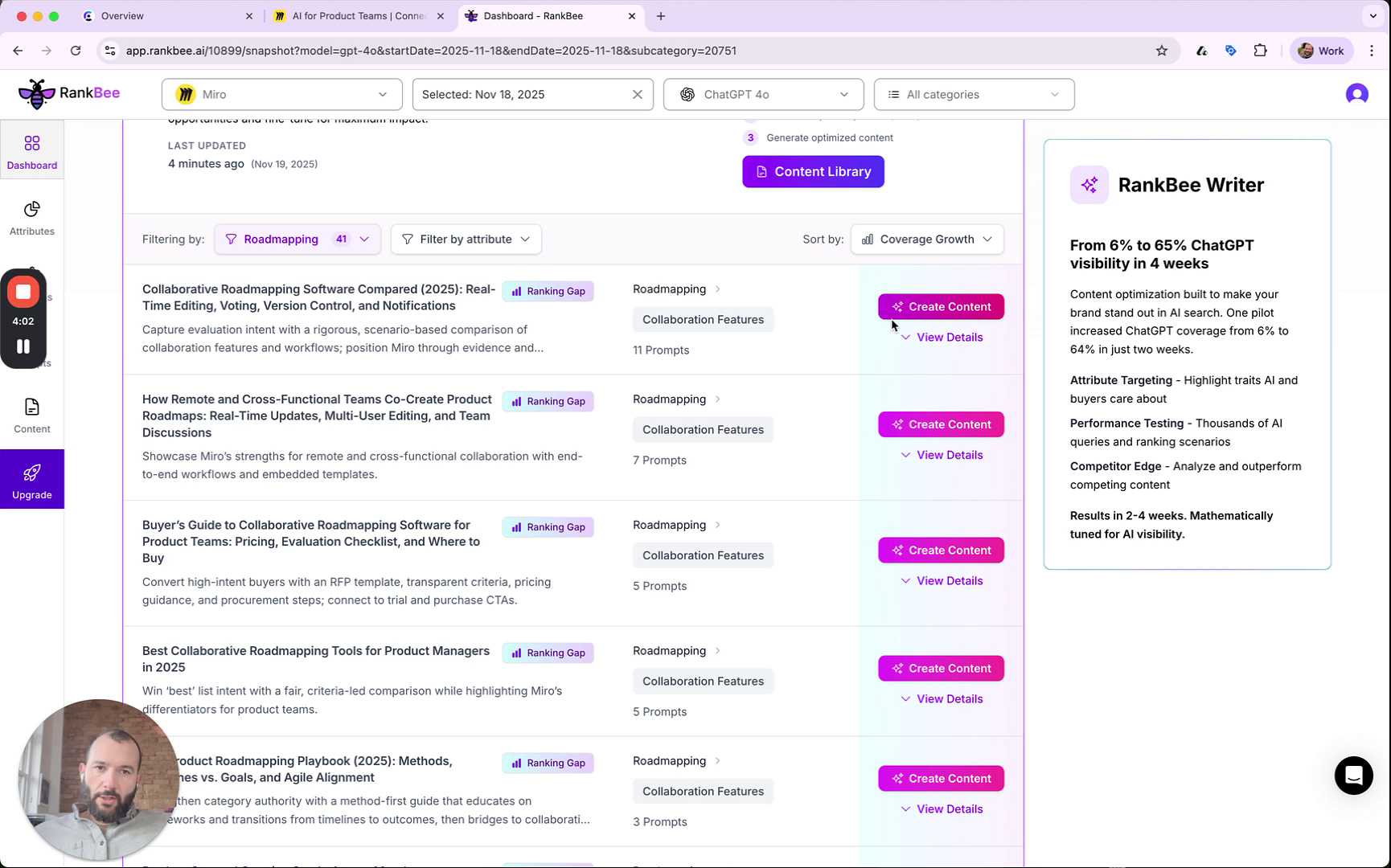
- From the Top Content Recommendations section, find a content opportunity you want to address.
- Click the Create Content button next to the desired recommendation. This will open the Create Content modal.
- In the modal, click the Select page type dropdown menu and choose the type of content you want to create, such as a Blog post or Listicle.
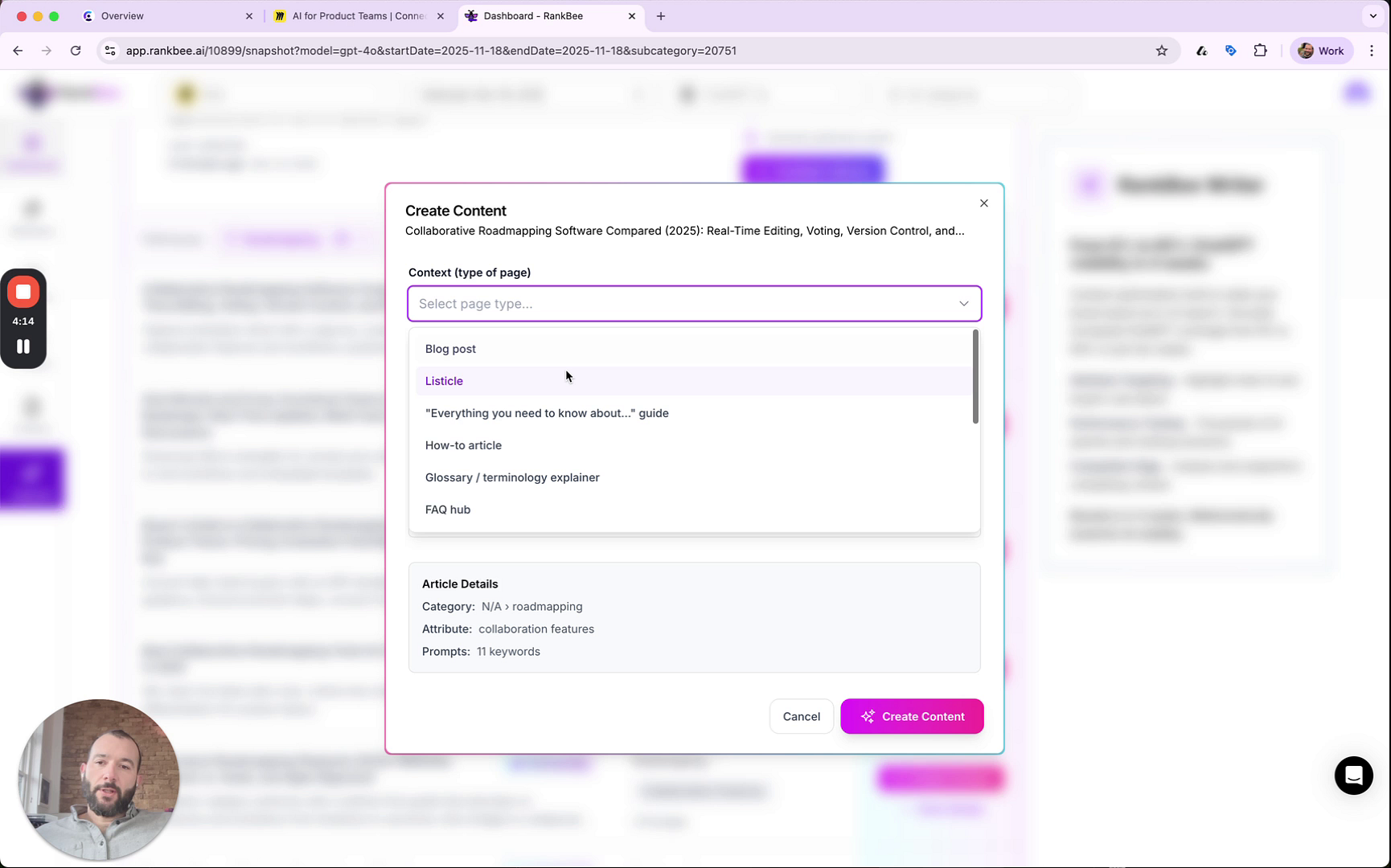
- In the ICP (Ideal Customer Profile) field, describe the target audience for this content. For example, 'C-Suite, Students, Small Business Owners'.
- In the Brand Voice field, provide guidelines for the tone and style. For example, 'Keep it conversational,' 'Avoid technical jargon,' or 'Don't include dollar signs'.
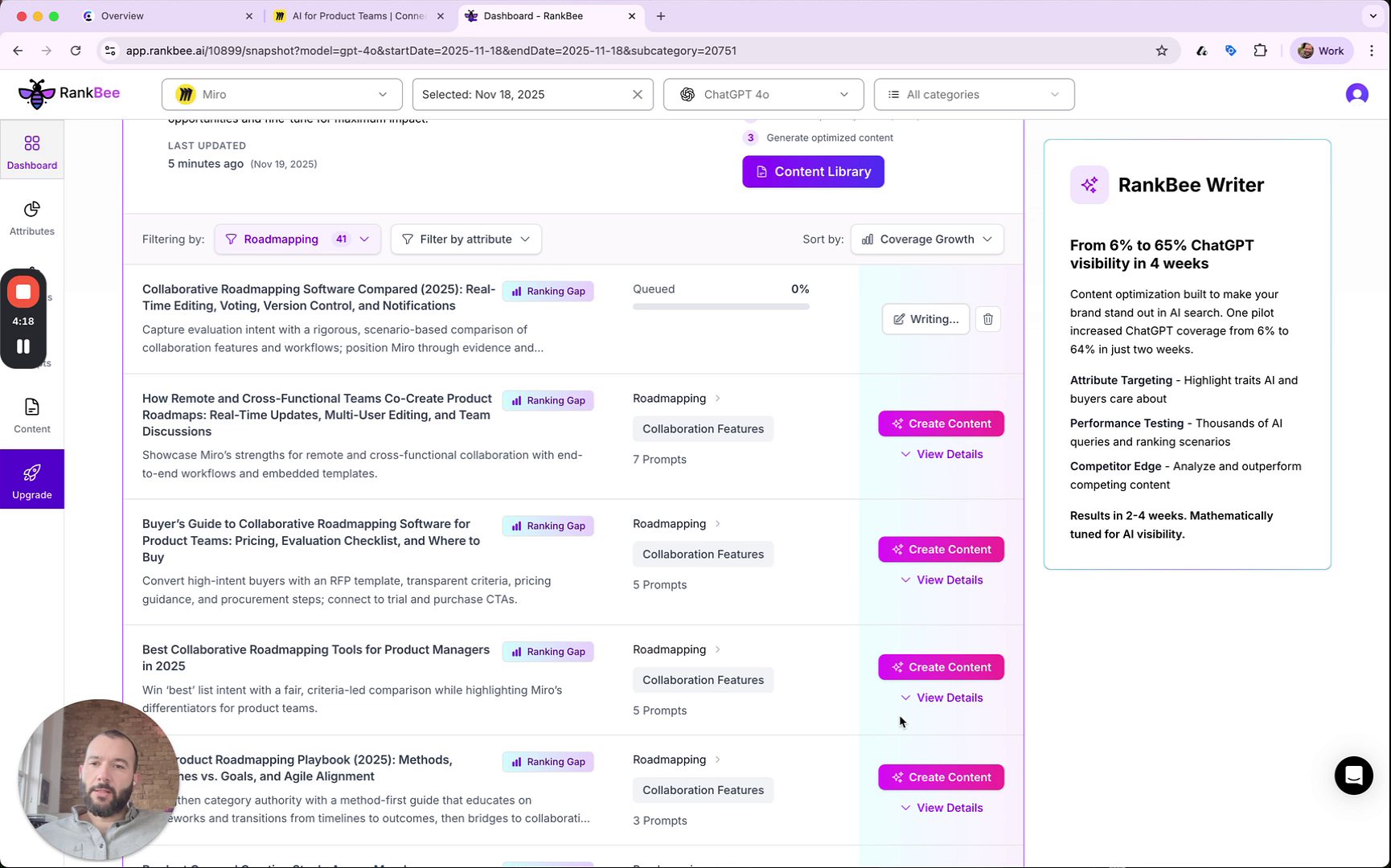
- Click the Create Content button at the bottom of the modal to begin the generation process.
Summary
This article details how to set up and configure the AI-powered content generator. By specifying the page type, target audience (ICP), and brand voice, you can generate highly relevant and on-brand content directly from your recommendations, saving time and improving content quality.