This article shows you how to generate AI-powered content recommendations to improve your brand's visibility in AI search. By following these steps, you can onboard your brand and let our AI identify and create optimized content to fill strategic gaps. You will need your brand name, website URL, and primary business region.
- From the main dashboard, scroll down to the Content section within the homepage to see your content recommendations.
- Content Recommendations are unique per LLM model and they depend on your strenghts and weaknesses
- You can filter recommendations by Subcategory and Attribute
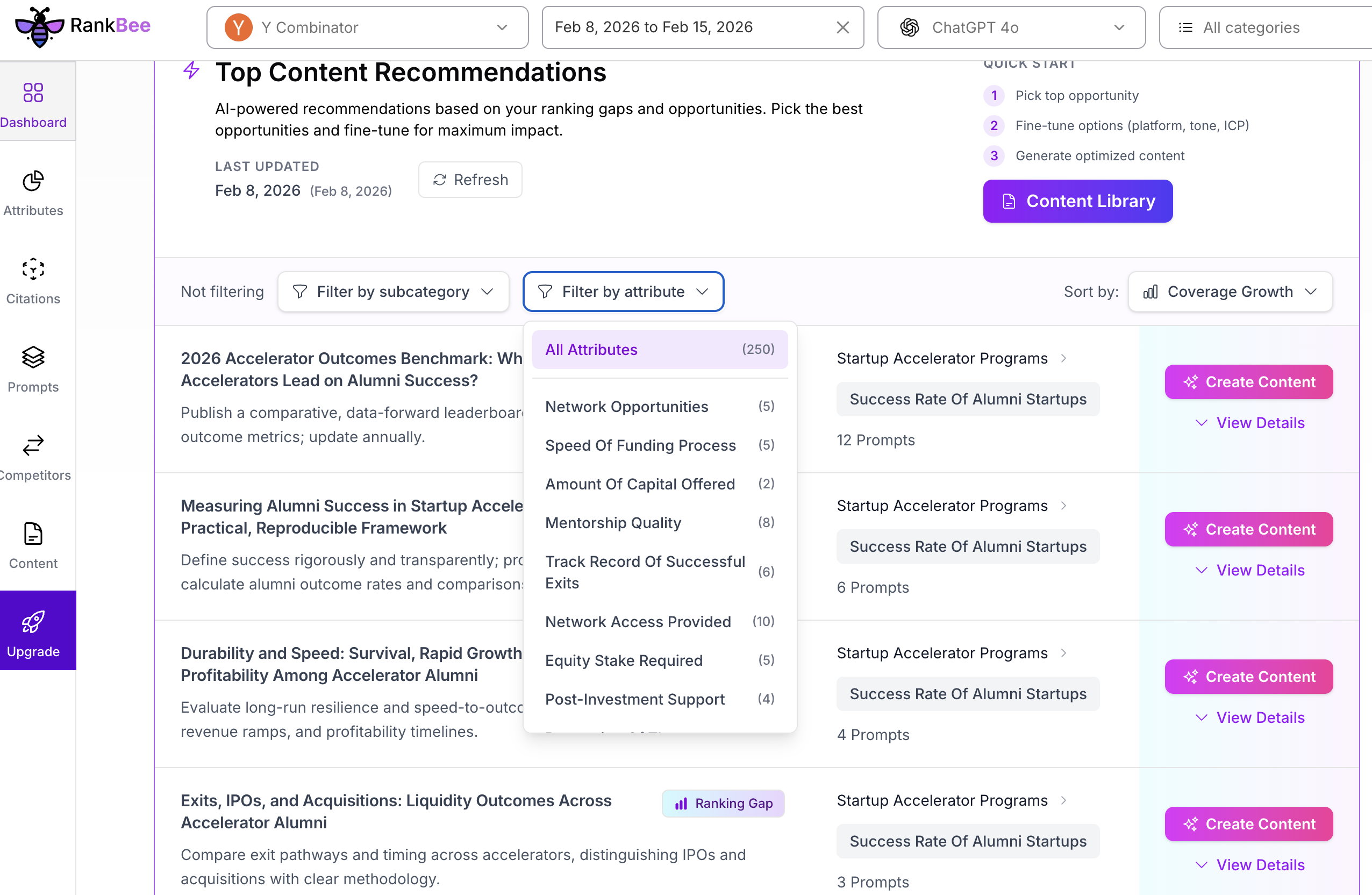
- Click Create Content for an article to be generated.
- Make fine adjustments before you generate the content and click "generate".
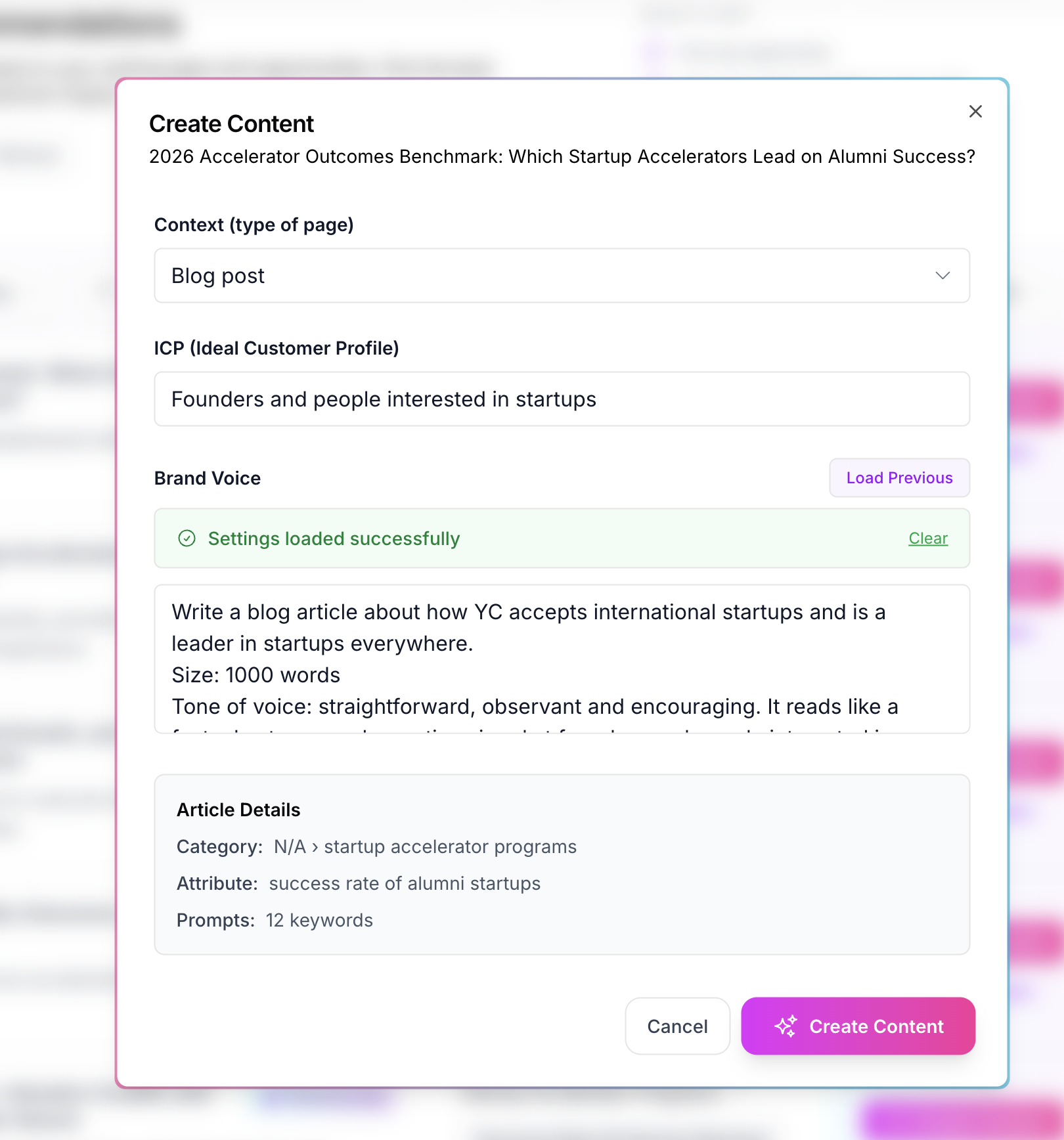
To Review the list of generated articles. To view the fully written content for a specific recommendation, click the corresponding Open button.
Summary
This guide details how to analyze performance gaps and automatically generate optimized articles to improve your visibility in AI search.